
About Apeiron Retro Gaming: Precision Hardware & OS Optimization
Building an emulator isn't necessarily difficult. Building one that someone else can pick up and use without having to configure a single setting is the difficult part.
At Apeiron Retro Gaming, we don't sell software libraries. We engineer the Frictionless Emulation Environment.
We operate strictly as a hardware modification, system configuration, and custom enclosure service. We provide the flawlessly tuned, network-isolated, plug-and-play architecture required to reproduce the intended experience with the precision our standards demand.
The Hardware Platform
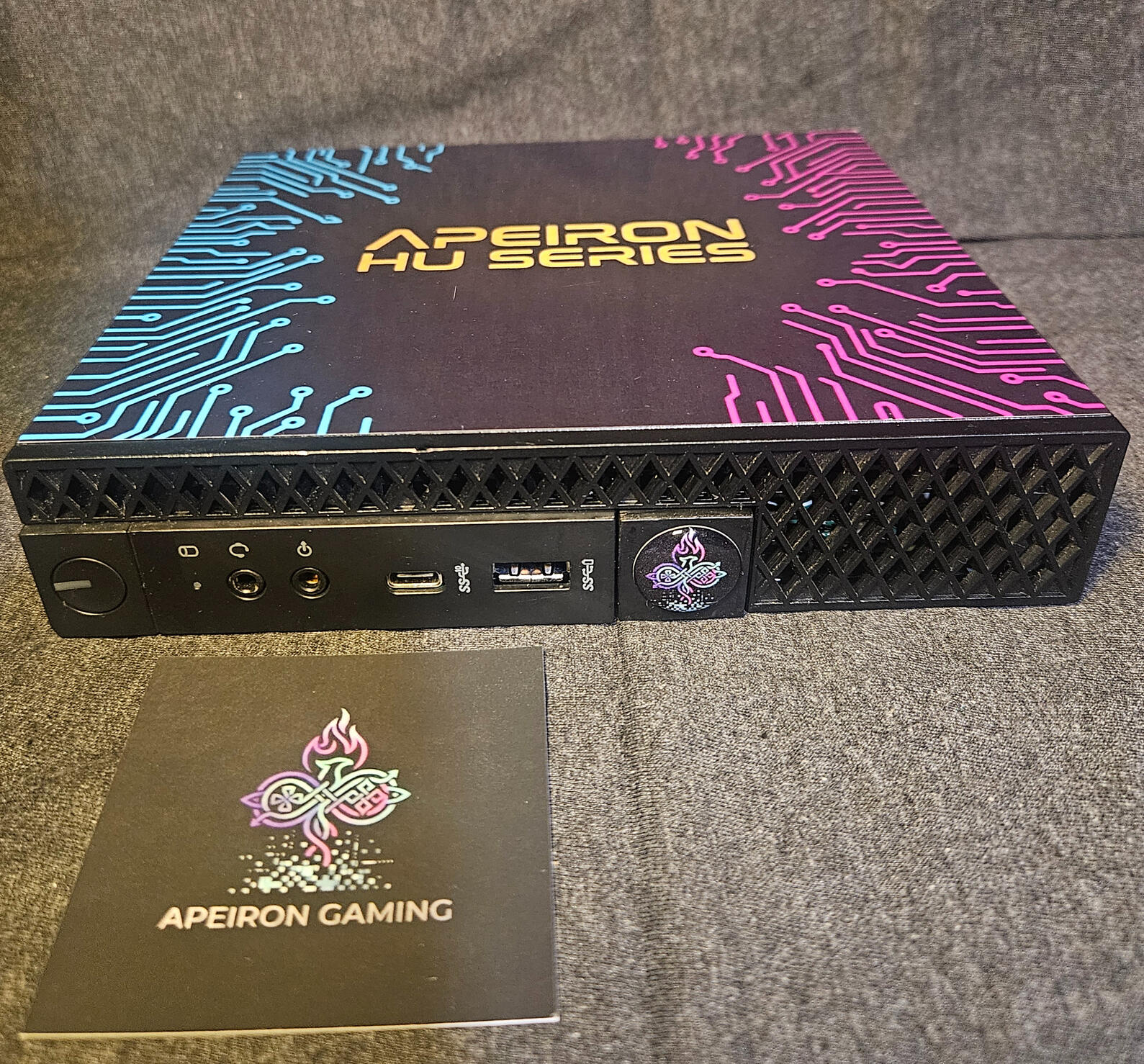
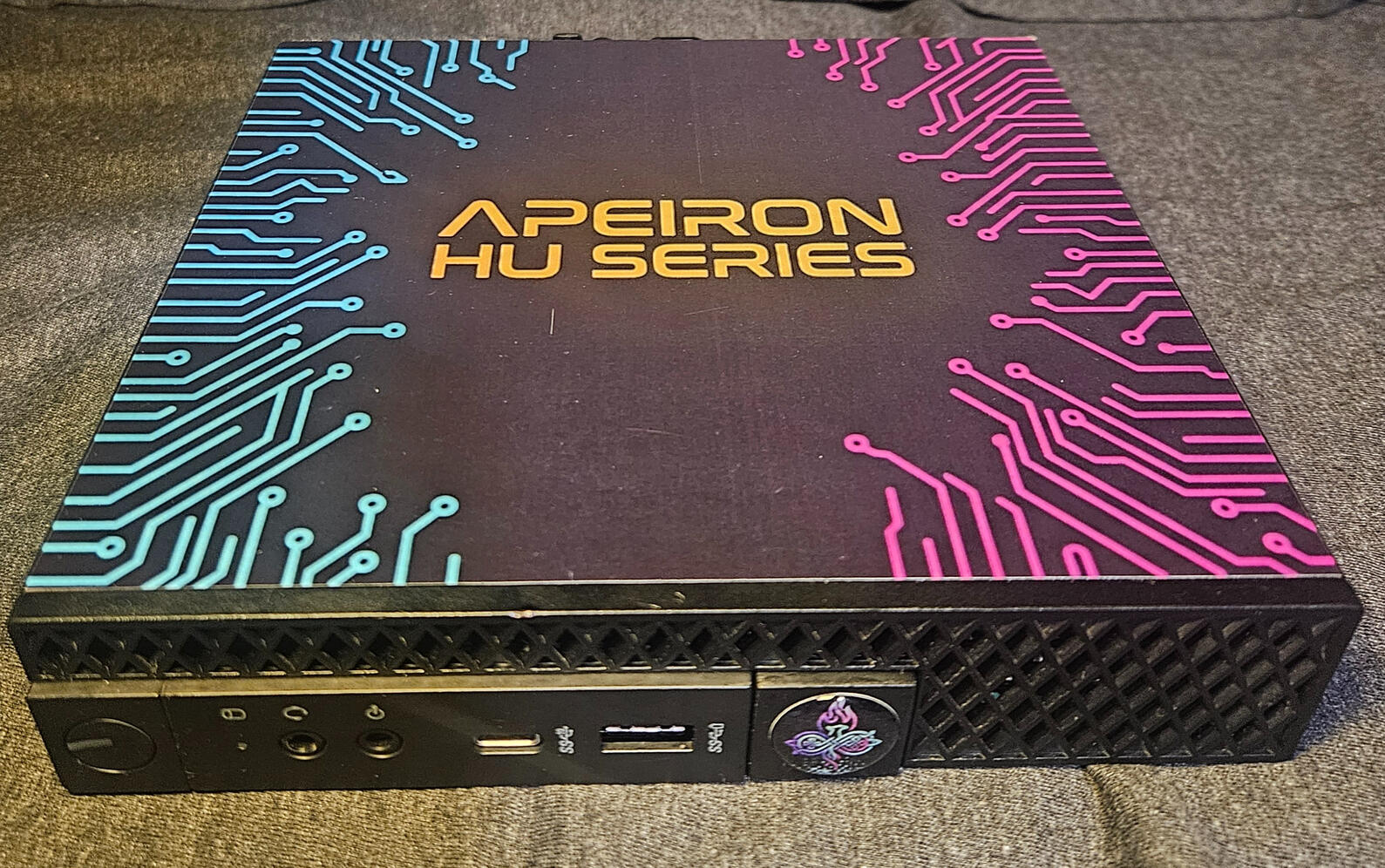
Before we configure the software, we secure the hardware. Every Apeiron system is built on a proven, business-class computing foundation to guarantee performance and reliability. We take highly serviceable commercial hardware and purpose-build it into a dedicated retro appliance.
Every Apeiron HU Series Console Includes:
The Enclosure: Modified Dell 5070 Micro PC (Compact 6 3/4" x 7 1/8" footprint)
The Engine: Intel Core i5-9500T Processor, 16GB RAM, New 512GB Solid State Drive
The Inputs: One (1) 8BitDo Ultimate 2C 2.4G Wireless Controllers
Includes Five (5) Physical Collectible Apeiron Keys. Simply tap your key on the reader to instantly launch your game. It’s not just gaming; it’s a tactile experience.
The Software: Pre-configured, network-isolated Batocera environment
The Standard: Fully validated hardware baseline
The Essentials: Power supply and necessary display cables
The Frictionless Console Experience
Emulation shouldn't mean scrolling through endless Linux menus with a keyboard. With the optional Apeiron Key System, we turn digital media selection into a physical ritual.
The custom 3D-printed reader is designed as a homage to classic hardware like the TurboGrafx-16. Pick up a custom-laminated title key and slide it into the cartridge slot. Hidden NFC technology triggers the underlying OS commands that launch the experience. Pull the card out, and the system gracefully closes the session. Old-school interaction powered by modern automation. No configuration. No troubleshooting. Just a dedicated appliance that works the moment you interact with it.
Curated Quality, Not Bloated Quantity
We don't do massive, broken file dumps. Anyone can cram tens of thousands of untested files onto a cheap drive, but you end up spending more time scrolling through broken clones than actually playing. Our hardware configurations are validated around deep-cut enthusiast titles, technical stress tests, and demanding arcade classics.
Why Your Favorite Game Might Be Missing: If a demanding title drops frames during heavy local rendering, or a 2D fighter suffers from sluggish input response, we don't approve the hardware setup for it. If a system configuration leaves our shop, it has passed a strict diagnostic inspection.
Engineered for Low Input Latency
Standard Bluetooth can introduce variable polling latency that disrupts tight gameplay. We bypass this by standardizing on a low-latency, 2.4G wireless connection and configuring the entire system around it.
We exclusively map and calibrate our environments for the 8BitDo Ultimate 2C wireless lineup, which supports 1,000 Hz polling according to the manufacturer's specifications. By controlling the input hardware and optimizing the OS mapping, we lock in a highly responsive connection—without you spending three hours digging through RetroArch menus.
Our Internal Diagnostic Benchmarks
At Apeiron Retro Gaming, we treat hardware configuration like a strict, pass/fail state inspection. To ensure our custom-cased enclosures run flawlessly, we subject every build to our own internal benchmarking suite—a highly curated list of historically significant and technically demanding titles used to expose system weaknesses.
We do not sell game libraries. We engineer the hardware capable of passing these internal diagnostic tests:
1. Input Latency & Frame Pacing: Muramasa: The Demon Blade Precision 2D combat titles are the ultimate lie-detector test for input lag. We use Muramasa as an internal benchmark to certify our controller mapping and frame pacing. If the parry timing feels sluggish, the configuration fails the benchmark.
2. FMV Timing & Optical Drive Emulation: Road Avenger & TurboGrafx-CD A sloppy configuration will result in desynced audio and stuttering Full Motion Video (FMV). We use complex CD-ROM titles to stress-test our optical drive emulation cores, ensuring audio tracks and video frames sync perfectly.
3. 3D Performance Validation: Phantasy Star Online Pushing advanced emulator cores inside a compact metal enclosure requires strict thermal and processing management. We use the Gamecube release of Phantasy Star Online as our heavy-duty 3D validation test. If our offline environment can sustain rendering this title locally in 2-player split-screen co-op, we know the hardware architecture and cooling profile are properly configured for demanding graphical workloads.
The Methodology
Every Apeiron Retro Gaming environment is evaluated against measurable technical standards before it is cleared for physical deployment:
Core-to-Hardware Optimization: Our Batocera deployments utilize specific, pre-configured emulator cores chosen for their compatibility with our hardware's instruction sets, locking in proper aspect ratios and authentic scaling algorithms.
Network-Isolated Stability: The greatest threat to a finely tuned emulation environment is an uncontrolled software update. Apeiron systems are designed as network-isolated appliances. Once configured, your console doesn't need the internet to function, keeping it locked in a stable, known-good state.
(Contact us directly for hardware customization options, Key System packages, and current build availability.)
Frequently Asked Questions
Why shouldn't I just buy a barebones mini PC and configure it myself?
You absolutely can, if you want a project. Building an emulator isn't the hard part; configuring it to run flawlessly is. A DIY build requires you to flash the OS, hunt down specific BIOS files, manually configure emulator cores to match your hardware's instruction sets, map controllers, and test individual ROMs for frame pacing and audio sync. We do all of that engineering and diagnostic testing for you. You are paying for a finished, frictionless appliance.
.
Why do you use 2.4G wireless instead of standard Bluetooth?
Standard Bluetooth introduces variable polling latency (input lag), which ruins tight, precision gameplay like 2D fighters and platformers. We strictly utilize 2.4G wireless controllers to bypass Bluetooth entirely, ensuring a highly responsive connection that you can rely on.
What happens if I want to update the system or add my own software?
Apeiron systems are designed as network-isolated appliances to prevent uncontrolled updates from overwriting custom controller mappings or breaking optimized emulator cores. While the system is fully unlocked for advanced users who wish to modify it, doing so alters the validated hardware baseline. We guarantee the stability of the system exactly as it leaves our shop.
Is the Apeiron Key System required to play?
No. The Apeiron HU Series Console functions perfectly as a standalone appliance using a standard digital interface. The Key System is an optional, premium physical upgrade for users who want the tactile experience of launching specific titles via our custom NFC cartridges.
What does the hardware warranty cover?
Every Apeiron HU Series Console is backed by a comprehensive 1-year hardware warranty covering the entire system. Because we build on highly serviceable commercial Dell enclosures, the core hardware is incredibly resilient, but if a physical component fails within the first year of operation, we have you covered.